WHATSAPP the maximum
This application has become the most popular chat service between users of smart phones on different platforms.
Tips and Features:
- One of the features that pesky users of this application is that it shows when the last connection or telltale hour. This can be disabled, you should go to Account Info, Privacy, Time last time. If No is selected, the application stop time display.
- This option privasidad recently incorporated to the application is the ability to hide our private profile picture to unknown users. To do this you must go to Privacy, Profile Picture and select My Contacts.
- If we change phone and want to keep the talks, the procedure is to connect the old telefonoal PC and from there, copy the Folder WhatsApp / Databases folder. Then connect the new phone and transfer this folder to the same location. After installing Whatsapp recover the talks.
- The version for Android WhatsApp lets you create shortcuts to your contacts on your desktop. You just have to click on the contact for a couple of seconds and select the option Create Shortcut.
- In case you need to change the SIM Blast, it is not necessary desistalas and install Whatsapp again to change the number associated to our account. One must select Settings, Account Info, Change number, and groups and messages remain associated with the new number.
- Whatsapp has a button that allows us to do immediately and directly. It also allows us to attach elemntos can be sent in a conversation, including images, videos, music, and contact details.
Applications Whatsapp accessories:
WHATS PACKED two ADS
- WhatsApp to send files to nuestos contacts, although the function is limited to photos, audio and video. This application extends this functionality, since it enables the transmission of PDF, DOC, ZIP files, and otos.
CHATLOCK +
- To prevent our falling into Whatsapp messages prying hands, we can install a tool with a pin blocking access to the application. For Chatlock +, the function also extends to other services and applications.

Groups WHATSAPP
One possibility offered by this application is to create group conversations, acontinuacion are some tips:
- By creating a group we became his manager. To add other users as administrators, we just go to the Info option. Group, then select the user you want to designate as administador and then the option Make admin. the Group. With this option we can have multiple administrators.
- To verify Individuals in the group received and read a message, we just have to do tap briefly on the text and check the option Info. Then we'll see details hour reception and status within the group.
- If we participate in many groups and do not want the phone to ring whenever someone writes a message, we can go Whatsapp settings within the group claims, and select No Notification tone.
- If we create a group and then abandon it, Whatsapp assigned its administration to another member. To delete a gupo, we must remove the members one by one, and then if we leave permanently.
Steps to Create a Group
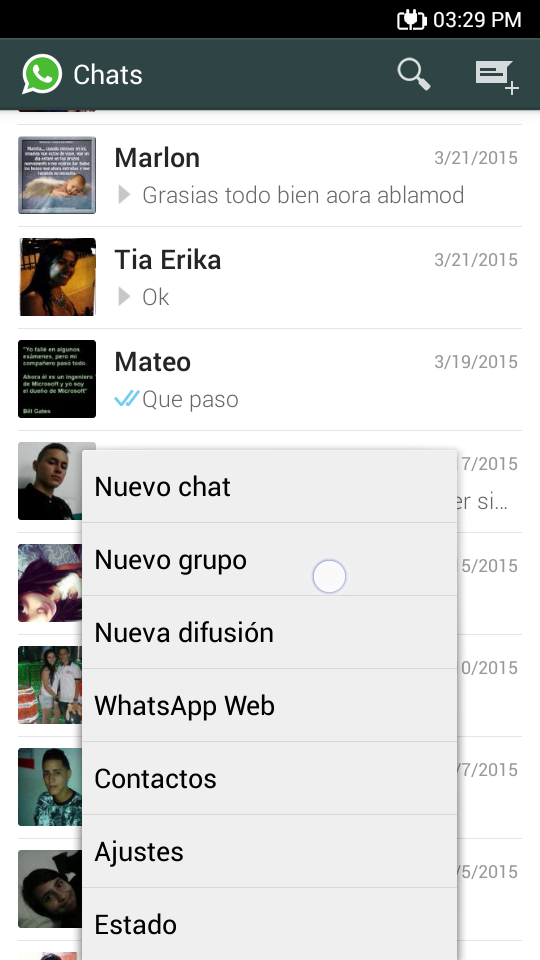
- To create a group of Whatsapp, we just select New Group option in the main screen of the application.
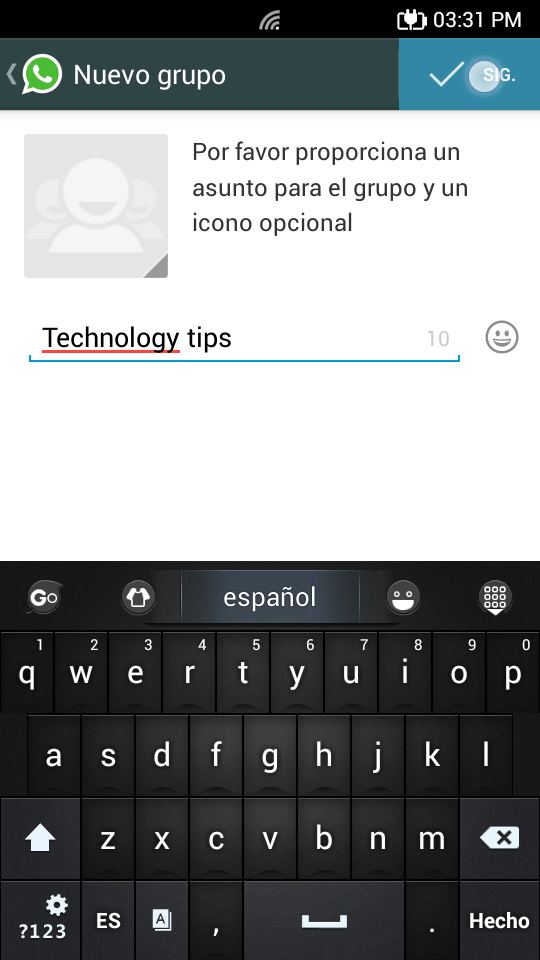
- Then the application will ask us to provide a name or topic for the group. We can also select an optional icon.
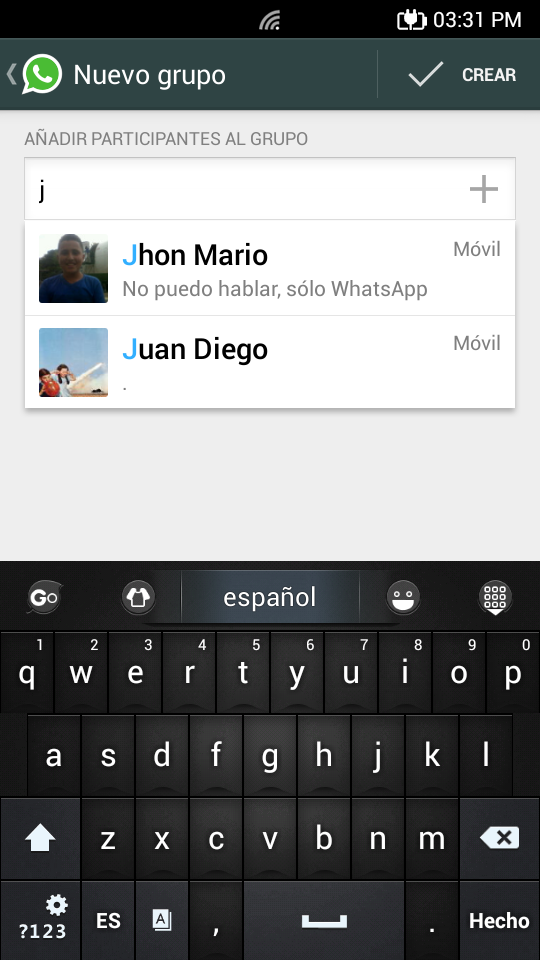
- By last we select contacts that participate in the group, who came after them an invitation check the option to create.